
Syntech Gantt View for Creatio
Gallery
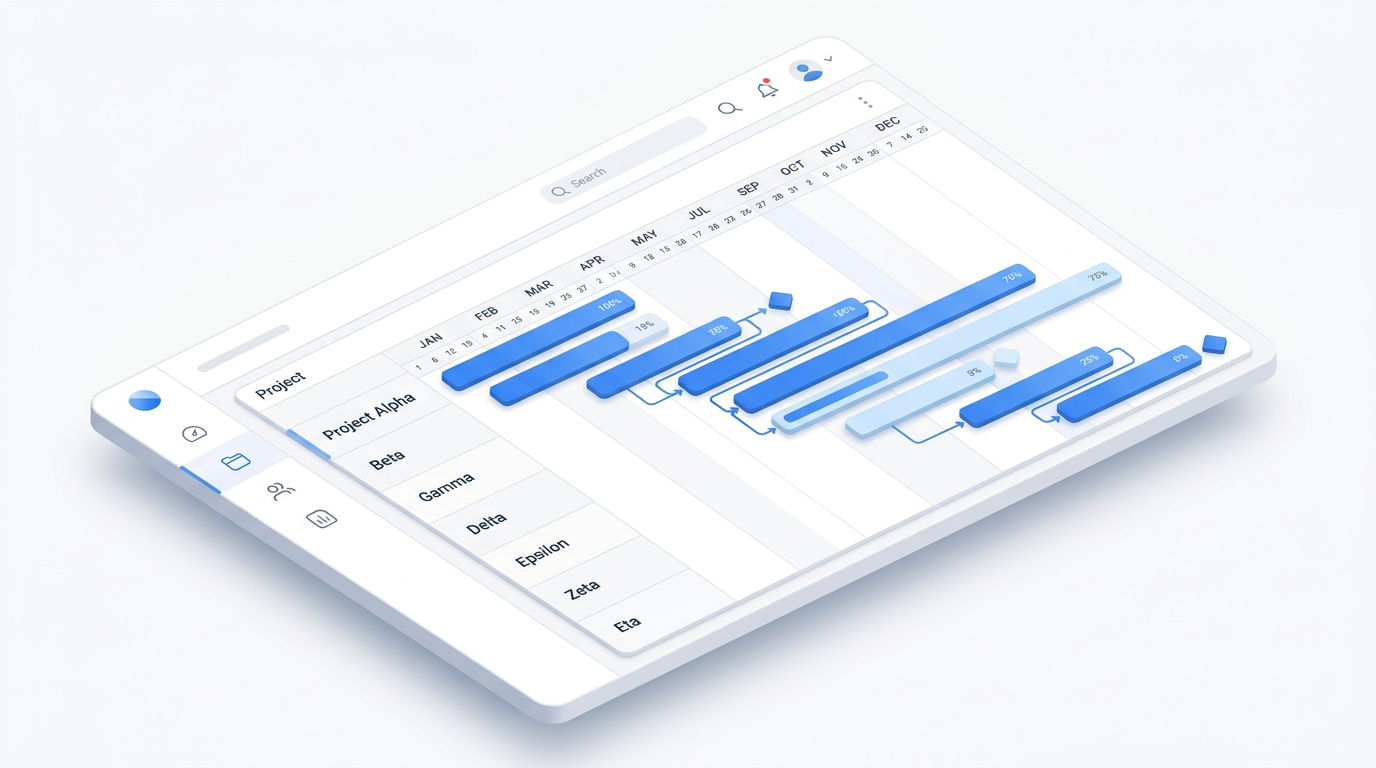
An interactive Gantt chart for Creatio Freedom UI. Plan timelines, manage dependencies and milestones, balance team workload and reschedule work with drag-and-drop — on the same data your CRM already holds.
Get it on Creatio Marketplace · Book a demo · Setup guide
| Platform | Creatio Freedom UI |
| Compatibility | Creatio 8.1.5 and up (version 5.x requires 8.3.0+) |
| Deployment | Cloud and on-site |
| Current version | 5.0.0 (August 2026) |
| Price | $1,200 per year (billed annually) |
| Trial | Available on Creatio Marketplace |
| Developer | SYNTECH, official Creatio partner |
What is Syntech Gantt View?
Syntech Gantt View is a Freedom UI component that turns any Creatio object with start and end dates into an interactive timeline. Projects, activities, tasks, service requests, marketing campaigns or production orders — if a record has dates, it can live on the chart.
Most teams plan in one tool and execute in another: the plan sits in Excel or a separate project tracker, while the real status is in Creatio. Gantt View removes that gap. The timeline reads and writes Creatio records directly, respects page filters, and shows parent-child hierarchies across different objects, so the plan is always the current state of the system.
Key features
Interactive timeline
Drag tasks along the timeline to reschedule them and resize bars to change duration. Switch between Hour, Day, Week, Month, Quarter and Year scales, and let the chart calculate the visible date range automatically.
Dependencies and milestones
Link tasks and projects to show how work flows, mark key milestones and see the impact of a delay on everything that depends on it.
Resource allocation and workload
See who is working on what and when. Identify overloaded team members and resource conflicts before they affect delivery.
Visual status indicators
Overdue tasks are highlighted in red with a days-overdue counter, tasks due within 24 hours get a yellow warning, every bar shows a progress indicator, and weekends are visually separated from working days.
Inline task controls
Double-click a task name to edit it on the chart. Hover over a task to reveal quick actions such as adding a child task, without opening separate dialogs.
Flexible schema mapping
Connect the chart to any Creatio object — Projects, Activities, Tasks or custom entities — choose which columns to display, and combine parent and child records from different objects in one hierarchy.
Filter integration
The chart respects Creatio page filters and custom filter conditions, so users see exactly the slice of work they need.
Use cases
| Team | Scenario | What they gain |
|---|---|---|
| PMO / project managers | Project timelines, milestones and deliverables | One plan linked to live CRM data |
| Resource managers | Team allocation across projects | Overloads visible before deadlines slip |
| Marketing | Campaign and event schedules | Clear dependencies and launch dates |
| Service | Service request timelines | SLA risks visible on a timeline |
| Product teams | Release schedules and sprints | Realistic plans with dependencies |
How to set it up
- Install the app from Creatio Marketplace.
- Add the Gantt component to a Freedom UI page in the Designer.
- Map the data source: object, start and end dates, title, progress and parent field.
- Choose columns, scales and filters. Basic setup requires no code; advanced options are available for power users.
Step-by-step instructions: Syntech Gantt View setup guide.
Recent releases
- 5.0.0 (Aug 2026): major release — see What's new in Gantt View 5.0
- 4.2 (May 2026): see Gantt View 4.2 update
Frequently asked questions
Can I use Gantt View for objects other than Projects? Yes. Any Creatio object with date fields can be displayed — activities, tasks, cases, orders or custom objects.
Can parent and child records come from different objects? Yes. Multi-schema support lets you combine, for example, projects as parents and activities as children in one hierarchy.
Do I need a developer to configure it? No. Basic setup is done in the component settings. Advanced customization options are available when needed.
Does it work with Classic UI pages? No. Syntech Gantt View is built for Freedom UI pages.
Which Creatio versions does Syntech Gantt View support? Creatio 8.1.5 and up. Version 5.x of the component requires Creatio 8.3.0 or newer.
Is it available for cloud and on-site Creatio? Yes. It supports both cloud and on-site deployments.
How much does Syntech Gantt View cost? $1,200 per year, billed annually. See current pricing on Creatio Marketplace.
Is there a free trial? Yes, a trial is available through Creatio Marketplace.
Who provides support? SYNTECH, the developer of the app and an official Creatio partner. Contact support@syntech.digital.
Related
- Solution: Project management for Creatio
- Works well with: Syntech Kanban View · Syntech Scheduler · Syntech Project Management Studio
- Bundle: Syntech Components Pack
- Academy: How to configure Gantt View
Want to see it on your data? Book a 30-minute demo or open it on Creatio Marketplace.
Ready to Start?
Get this solution today and improve your business efficiency