
 Production
Syntech Gantt View for Creatio
The success of any project directly depends on how clearly the team sees deadlines and interrelationships between tasks. At SYNTECH Digital, we understand that for complex business processes, standard lists are not enough. That's why we released the Syntech Gantt View version 4.2 update, which makes planning and reporting in Creatio even more flexible.
Project management
Kanban, Gantt, scheduler and tasks — inside Creatio, without a separate task tracker.
What's new in version 4.2
In this update, we focused on two things: controlling plan/fact deviations and more flexible data presentation management. Six new features:
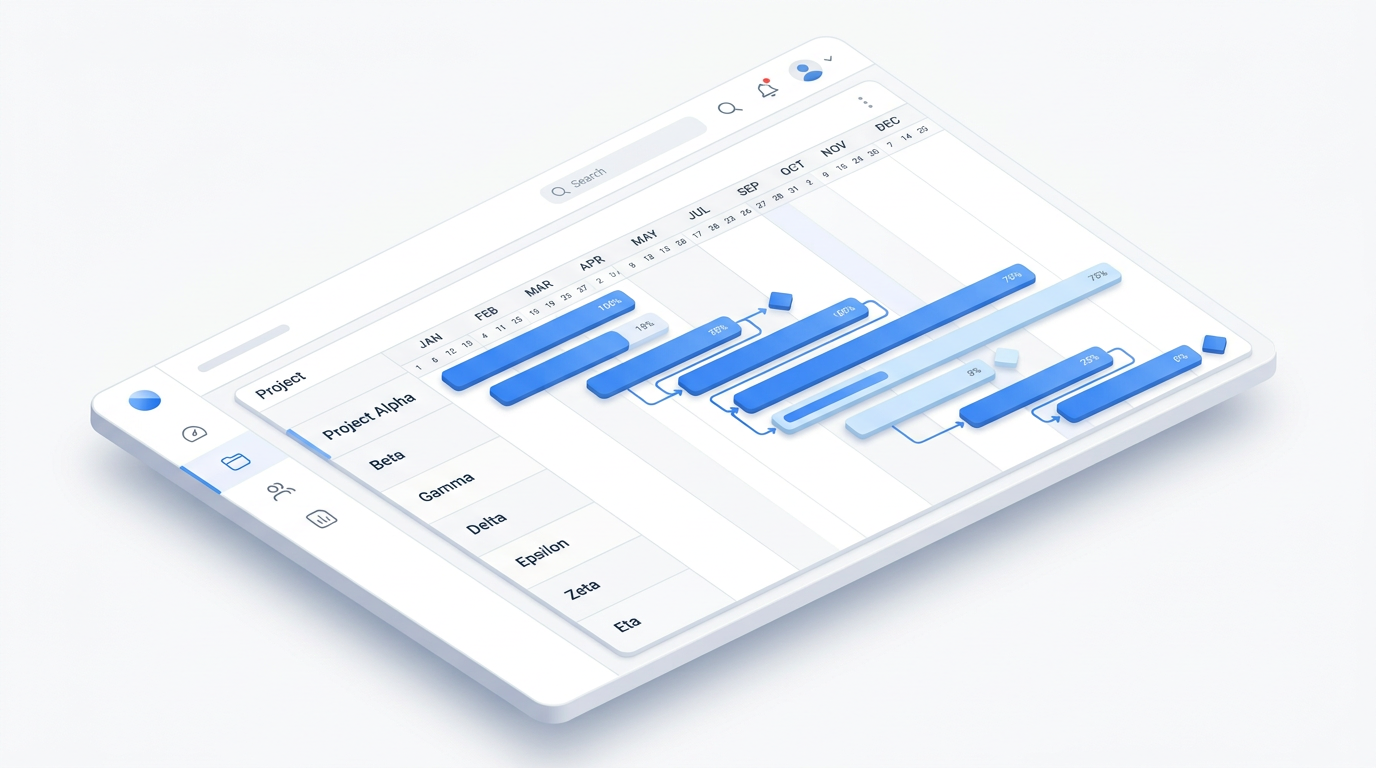
Burn-down chart Progress and completion forecast directly on the timeline. Especially useful for teams working in iterations – sprints, release cycles, or fixed project phases.
"Fact vs Plan" overlay The initially planned timeline and actual execution are displayed on the same bar. No switching between baseline and current view, no manual comparison – the answer to the question "are we on schedule?" at a glance.
Hiding child-level records Collapse subtasks, leaving only the top level of the hierarchy. A clean, high-level view for reporting to management – without losing detail when you need to delve deeper.
Sorting direction for each level Independent sorting for each level of the task hierarchy. Top-level projects – by date, their subtasks – by priority or alphabetically, all at once in one view.
Adding custom columns without code New columns are configured directly through the Freedom UI interface, without involving developers. This allows quickly adapting the display to the requirements of a specific team.
Drag & drop in due date setting mode Tasks in due date mode are now moved by dragging directly on the timeline – drag & drop works consistently in both display modes.
Why choose Syntech Gantt View
Unlike external tools, our component works natively within Creatio. You don't need to configure integrations or synchronize data – you work with real objects of your CRM (Opportunities, Projects, Tasks) in real time.
Key product features
1. Full integration with Freedom UI The component is embedded on any section page or dashboard. A professional planning tool where the team is already used to working.
2. Hierarchical structure (WBS) Create multi-level nesting. Group tasks by stages, sprints, or departments for maximum transparency.
3. Contextual filters The chart automatically reacts to Creatio page filters. If you need to see the plan for only one client or manager – just apply the filter.
4. Visual status indicators Overdue tasks are highlighted in red with a day counter, tasks due within the next 24 hours are highlighted in yellow. The progress of each task is shown on the bar.
5. Milestone management Critical project points are marked with diamonds on the timeline and are visible to all stakeholders.
6. Resource allocation The resource panel shows team workload – the number of tasks and hour distribution, grouped by roles or departments.
Compatibility and installation
Version 4.2 is compatible with Creatio 8.3.0 and above. Installation and basic configuration take a few minutes via the standard Marketplace mechanism.
Ready to take project management to the next level? Try it on Marketplace → https://marketplace.creatio.com/app/syntech-gantt-view-creatio
Next step
See a live board demo
15–30 minutes, no slide decks: we show the solution on your data and tell you if it fits.