
 MES
Which System Helps Quickly Transfer a New Product Revision from R&D to Manufacturing?
How to transfer engineering design changes to the shop floor without confusion in BOMs, documentation, and work orders.
Creatio UI & productivity
Ready UI components instead of building from scratch: maps, pivots, diagrams, whiteboard.
An engineer has approved a new product design. But on the shop floor, they continue to work according to the previous routing.
Some components are already purchased, the work order has been launched, and the new revision hasn't yet reached all departments.
The issue isn't about how fast an updated file can be sent. It is essential to know when a new revision takes effect, which orders it impacts, and which version was used to manufacture a specific unit.
To achieve this, you need an engineering change management system connected to manufacturing.
Syntech Manufacturing is an MES/MRP platform that supports BOM revisions, production routings, ECN notices, and change approvals.
Why Changes from R&D Don't Always Reach Manufacturing
In many companies, the design department, process engineers, and production use different tools.
Engineers work in CAD/PDM, process engineers maintain instructions, and the shop floor receives documentation via disconnected files.
When design changes are infrequent, such a process can still be managed manually.
However, with regular updates, issues arise:
an operator works from an outdated routing;
procurement hasn't accounted for the updated BOM;
it is unclear which orders remain on the old revision;
it is difficult to determine from which serial number the change took effect.
To prevent this, engineering changes must be handed over through a controlled process.
How Syntech Manufacturing Transfers a New Revision to Production
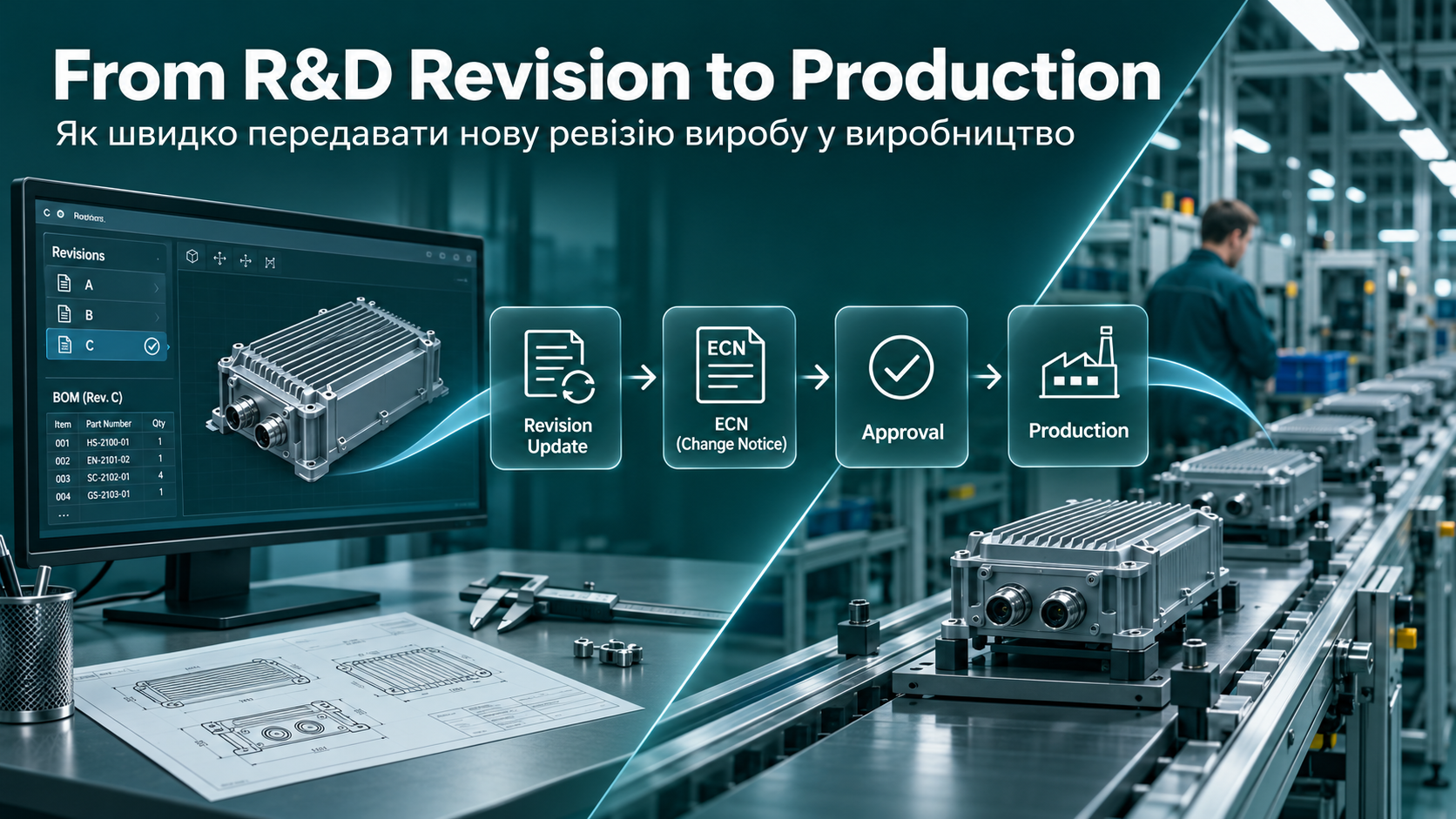
1. Creating a New BOM Revision
In Syntech Manufacturing, BOMs and production routings are stored with revision histories.
A new version can be created based on the current one. Initially, it has a draft status.
This allows you to prepare changes without immediately replacing the active documentation.
The platform also supports importing engineering data from CAD/PDM and Excel.
2. Comparing Changes
Before approval, it is essential to see exactly what has changed.
In Syntech Manufacturing, revisions can be compared side by side.
The design engineer and process engineer can inspect differences between versions prior to releasing a new revision.
3. Approval via ECN
An ECN (Engineering Change Notice) is a notification of an engineering change.
In Syntech Manufacturing, it includes the reason for the change, the effective date, and the starting serial number.
Approval by the chief process engineer is supported.
This ensures that a change has defined implementation conditions rather than simply appearing in a new file.
4. Delivering Up-to-Date Documentation to the Operator
Following approval, it is crucial that production works with the correct version of the routing.
In Syntech Manufacturing, routings are version-controlled, and the operator sees the active documentation directly at the workstation.
At the same time, open work orders retain the revision they were originally planned with.
The new version is not applied to them retroactively by default.
How It Works in Practice
Suppose the engineering team updates an electronic module in a product.
In Syntech Manufacturing, a new BOM revision is created. The process engineer checks the differences and approves the change via an ECN.
The notice specifies the introduction date of the new version and the serial number from which it becomes effective.
New work orders can use the active revision. Orders created earlier retain their version.
This allows the enterprise to track the exact design version used to manufacture any specific product.
Who Needs Revision Management
This approach is especially beneficial for manufacturers whose designs are updated regularly:
UAVs and MilTech products;
electronics;
industrial equipment;
complex mechanical assemblies.
The more frequently BOMs change, the more critical it is to connect R&D with work orders.
Read more about engineering change management in the article "Which System Enables Control Over BOM Versions and Revisions?".
Conclusion
Quickly handing over a revision from R&D to manufacturing isn't about sending a document fast.
It is a process where every change has a version, a reason, approvals, and a clearly defined effective point.
Syntech Manufacturing is an MES/MRP platform that helps connect engineering changes with production routings, orders, and serial numbers.
During a demo, you can see this process in action using your own BOM: from a new revision all the way to a work order.
Request a Syntech Manufacturing Demo
Frequently Asked Questions
Which system helps transfer revisions from R&D to manufacturing?
Syntech Manufacturing supports BOM and routing revisions, ECNs, approvals, and versioned routings.
What is an ECN?
An ECN is an Engineering Change Notice that specifies the reason for a change, its effective date, and the relevant revisions.
Can BOMs be imported from CAD/PDM?
Yes. Syntech Manufacturing supports importing engineering data from CAD/PDM and Excel.
What happens to open orders after a change?
They retain the revision they were originally planned with. Before releasing a new version, the system allows you to review such orders.
Next step
Compare with building from scratch
15–30 minutes, no slide decks: we show the solution on your data and tell you if it fits.