
 MES
MES for Manufacturing with Multi-Level BOMs
How to choose an MES/MRP system for complex bills of materials, material calculation, revision management, and production control.
Sales & CRM automation
Pipeline, customers, operations and analytics driven by processes, not spreadsheets.
When a product consists of dozens of components, managing the bill of materials in Excel is still feasible. But what do you do when these components are part of separate sub-assemblies, each sub-assembly has its own specification, and the exact same part is used across multiple production orders?
When the design of a single sub-assembly changes, the planner must recalculate material requirements. Procurement works with its own lists, while production follows process routing sheets. If the data is disconnected, even a single BOM change can require multiple manual cross-checks.
For manufacturing with multi-level bills of materials (BOM), you should use an MES/MRP platform that links product structure, material calculations, procurement, production routings, and revision control.
One such solution is Syntech Manufacturing — an MES/MRP platform for managing production processes within a single environment.
What Is a Multi-Level BOM and Why Is It Important?
A BOM (Bill of Materials) is a specification defining a product's composition: components, raw materials, sub-assemblies, and their quantities.
In a single-level BOM, all components can be represented in a single flat list.
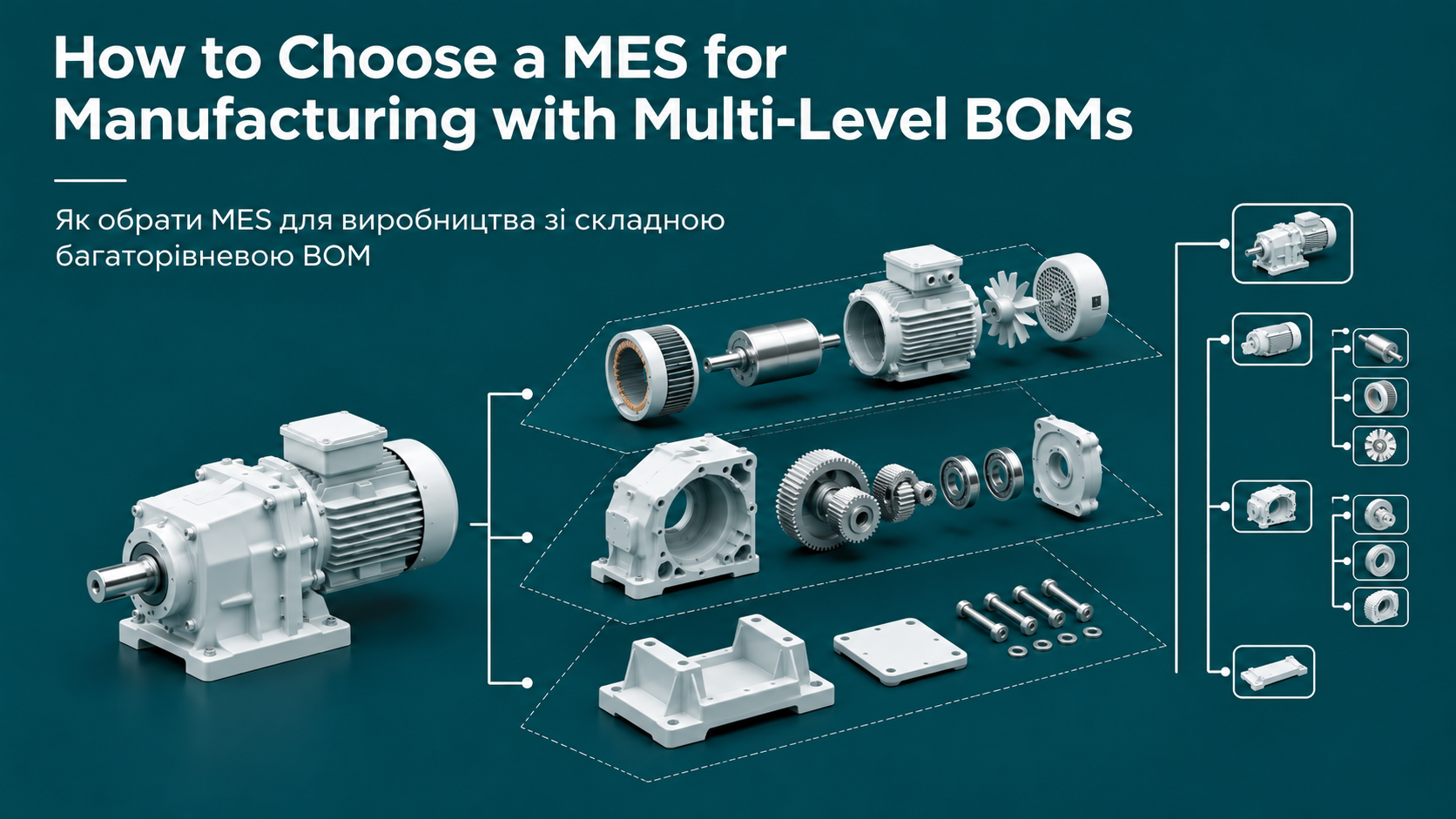
In a multi-level BOM, the structure is more complex. The finished product contains distinct sub-assemblies, which in turn consist of parts and raw materials.
For instance, an industrial device might contain an electronic module, a mechanical assembly, and a power supply unit. Each of these has its own component list.
For production, it is vital to know not only the overall product composition, but also exactly how many materials are needed to manufacture each individual sub-assembly.
This is where a multi-level BOM becomes the foundation for procurement planning and production orders.
What Capabilities Must an MES Have for Multi-Level BOMs?
1. Multi-Level Material Requirements Planning
Simply having a bill of materials does not mean a company can properly plan procurement.
A BOM answers what a product is made of. MRP (Material Requirements Planning) helps determine the required materials according to the production schedule.
Syntech Manufacturing supports multi-level MRP calculations based on bills of materials.
The system uses the product structure to calculate material requirements. Based on the MRP results, production orders and purchase requests can be generated automatically.
This is essential for companies where the same components are utilized across different products.
2. BOM Revision Management
Product designs rarely stay unchanged.
Engineers may update sub-assembly compositions, swap components, or adjust the production routing.
If a company simply replaces an old specification with a new one, a critical question arises: which version was used to manufacture previous orders?
Syntech Manufacturing supports revisions for bills of materials and production routings.
The system allows you to compare revisions side-by-side and document engineering changes via ECN (Engineering Change Notice) workflows with sign-offs.
This preserves the change history and ensures strict control over the use of engineering documentation.
Read more about this process in the article "Which System Allows You to Control BOM Versions and Revisions?".
3. Linking Specifications with Production Routings
A BOM shows which components make up a product. A production routing defines which operations must be performed to manufacture it.
In Syntech Manufacturing, specifications and routings are maintained with revision tracking.
Version-controlled process routing sheets are also supported. At their workstation, the operator sees the currently active process sheet.
This bridges engineering documentation directly with the execution of shop-floor operations.
4. Importing Specifications from CAD/PDM and Excel
At many manufacturing enterprises, design documentation is created in dedicated engineering systems.
Therefore, when selecting an MES, it is crucial to verify how specifications enter the production environment.
Syntech Manufacturing supports importing engineering data from CAD/PDM and Excel.
This allows you to leverage prepared specifications in the production management system without having to recreate the entire product structure manually.
5. Traceability of Components and Finished Products
For complex manufacturing, knowing what components were planned is not enough.
It is equally important to identify which specific material batches were actually used to produce a given unit.
Syntech Manufacturing supports batch and serial number traceability.
By serial number, the system allows you to trace the BOM revision, component batches, supplier certificates, production operations, and quality inspection results.
It also provides an "as-designed / as-built" reconciliation that highlights the active revision and the justification for any component substitutions.
This capability is especially vital for the manufacturing of electronics, industrial equipment, UAVs, and other multi-component products.
How Syntech Manufacturing Works with Multi-Level BOMs
Consider a practical example.
A plant manufactures equipment that consists of several sub-assemblies. Each sub-assembly has its own components, and some parts are shared across different products.
Step 1. Specification Preparation.
The engineering team creates the specification or imports the data from CAD/PDM or Excel.
Step 2. Material Calculation.
Based on the production plan, Syntech Manufacturing performs a multi-level MRP calculation of material requirements.
Step 3. Order Generation.
Based on planning results, production orders and purchase requests can be created.
Step 4. Execution of Production Operations.
Production operates with work orders and routing sheets. Operators record operation completions directly in the system.
Step 5. Quality Control and Traceability.
Inspection results are recorded during manufacturing, and the finished products maintain full traceability to the serial numbers and batches of the components used.
In this way, a multi-level BOM serves not just as a technical document, but as an active data source for planning and execution.
Who Needs an MES with Multi-Level BOM Support?
Such solutions should be considered by enterprises manufacturing complex, multi-component products.
In particular:
UAV and MilTech manufacturers;
electronics manufacturing companies;
industrial equipment manufacturers;
machinery and mechanical engineering plants;
companies with multi-level product assembly.
This is especially critical for businesses where designs change frequently, multiple production orders run concurrently, and verification of the actual finished product composition is required.
How to Test an MES Before Choosing
A feature list on a vendor's website is only the first stage of evaluation.
To understand whether a system fits your facility, you should test it against a realistic production scenario.
For example, take a single product with a complex multi-level BOM and go through the following steps:
Import the bill of materials.
Run an MRP calculation for material requirements.
Generate a purchase request.
Review the production routing.
Create a new BOM revision and compare it with the previous one.
Check what information can be retrieved using the finished product's serial number.
This hands-on approach helps assess the practical alignment of the MES with your workflows.
What Can Be Reviewed During a Syntech Manufacturing Demo?
During the demonstration, you can explore the platform's capabilities mapped to your actual production process.
For enterprises with multi-level BOMs, it is beneficial to examine:
specification structure and material calculations;
generation of production orders and purchase requests;
BOM revisions and ECN notifications;
process routings and the operator workstation;
component traceability by serial numbers.
This will help determine how well the capabilities of Syntech Manufacturing address the real-world challenges of your plant.
Request a Syntech Manufacturing Demo
Conclusion
For manufacturing with multi-level BOMs, it is essential to choose a system that goes beyond simply storing bills of materials.
It must connect product structure with material planning, procurement, production routings, and actual shop-floor execution.
Syntech Manufacturing is an MES/MRP platform supporting multi-level material requirements planning, BOM revisions, ECN notices, engineering data import, and serial traceability.
If your enterprise works with complex specifications, the best way to evaluate the system is to test it against your own production scenario.
Learn More About Syntech Manufacturing
Book a Demo of the MES/MRP Platform
Frequently Asked Questions
Which MES should be chosen for manufacturing with multi-level BOMs?
You should choose an MES/MRP solution that supports multi-level bills of materials, material requirements planning, revision tracking, and production routings. Syntech Manufacturing is one such solution.
Does Syntech Manufacturing support multi-level BOMs?
Yes. Syntech Manufacturing supports multi-level MRP calculation based on bills of materials and links it with production planning and procurement.
Can BOMs be imported from CAD/PDM or Excel?
Yes. Syntech Manufacturing supports importing engineering data from CAD/PDM and Excel.
Can specification changes be managed?
Yes. The platform supports BOM and routing revisions, side-by-side revision comparisons, and ECN notifications with approval workflows.
Can you trace which components were used in a finished product?
Yes. Syntech Manufacturing supports batch and serial number traceability, as well as "as-designed / as-built" reconciliation.
Can Syntech Manufacturing be deployed on-premises?
Yes. The platform supports on-premise deployment or deployment in an enterprise private cloud.
Next step
Get a 30-minute automation assessment
15–30 minutes, no slide decks: we show the solution on your data and tell you if it fits.