
 MES
Serial Tracking in Manufacturing: History of Every Product in Minutes - Syntech Manufacturing
A customer calls and asks about a single product by its serial number: which component batches it was assembled from, what supplier certificates apply to those batches, who performed the operations and when. The product has been assembled and shipped, and the answer has to be reconstructed from invoices and memory.
Sales & CRM automation
Pipeline, customers, operations and analytics driven by processes, not spreadsheets.
Serial tracking in Syntech Manufacturing on the Creatio platform builds this answer from data that the shop floor and warehouse already record daily, so nothing has to be entered twice for the sake of traceability.
What a single serial number knows
A search can start from either end: from a batch number, supplier batch, certificate number, serial number, production order, purchase receipt, or label barcode. From there, the trace chain expands in two directions, separately or together.
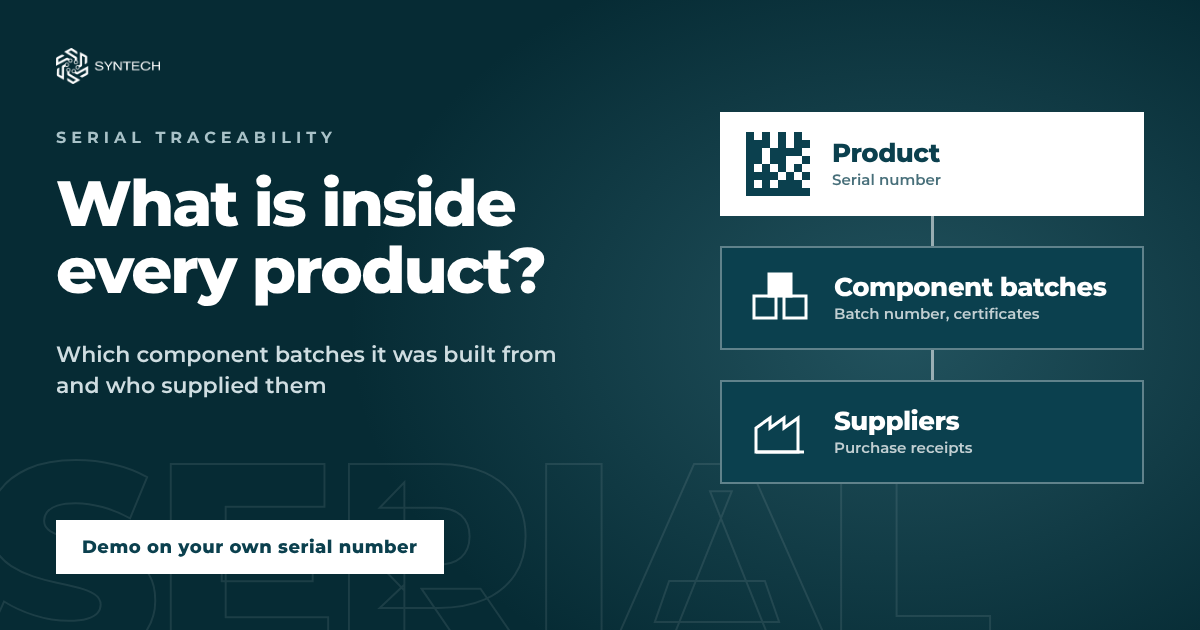
"Where Used" goes upward from a component: to orders, released batches and serial numbers, subassemblies, bin location, status, shipment, customer, contract, and acceptance certificate. "Composition" goes downward from a product: to components, all the way to purchase receipts and suppliers.
Trace chain depth is up to 10 assembly levels, typically 5. If a material is issued without a batch, the system marks it as untraceable so the gap is visible.
Labeling and scanning
A serialized product receives a DataMatrix label from a custom template, complete with preview and print history. A batch label carries the code, quantity, manufacturing date, expiration date, and a Code 128 barcode. Templates are assembled by a builder: placeholders, barcodes, preview.
You can find a batch or product by scanning the label barcode, which means you can jump straight from the label to the trace chain.
One-action recall
If a component batch turns out to be defective, the system automatically pre-selects everything that can be quarantined and everything the customer needs to be notified about. The user simply deselects what isn't needed, selects "Quality Quarantine" or "Recall", specifies the reason, and, if necessary, creates a non-conformance and confirms.
Batches transition to quarantine status, serial numbers to quality quarantine, while the previous status of each item is stored separately. However, items already shipped do not change status: they are placed in the "Notify customer" line along with the customer and the shipping document. The campaign receives a number in the format RC-yyyyMMdd-NNN.
The list can be exported to Excel or CSV: item type and number, product, status, quantity, order, level, bin location, warehouse, customer, shipping document and date, contract, acceptance certificates, suggested action, and chain path. Unblocking will not work without an entered decision; the previous status is restored only to items that are still blocked, and every decision is recorded with a timestamp.
Electronic product dossier
From a batch or serial number record, a dossier is generated with a single click: a printable page (can be saved as PDF) or an archive. It contains general information, supplier certificates of incoming batches with numbers, dates, and incoming inspection results, actual multilevel BOM composition, routing with operations, work centers, time, and operators, inspections with parameters and limits, acceptance certificates, labels, shipments with customer and contract details, and attachments.
The archive contains dossier.html, index.json, index.csv, and attachment files.
Honest about limitations
A few things are worth knowing in advance. The chain depth is typically 5 levels (maximum 10); the graph displays up to 1,500 nodes and warns when the chain is truncated. In the dossier archive, files can be up to 20 MB, totaling up to 40 MB and up to 300 files; larger files are listed in index.csv with the reason why they were not included. Quarantine and recall permissions are typically granted to the quality inspector and production planner; other roles receive this permission separately. And the chain is built only from data that was recorded: material without a batch will be marked as untraceable.
Demo with your serial number
Bring one product that you recently had to "dig up" manually. In the demo, we will open its serial number, trace the chain back to batches and suppliers, and demonstrate the dossier and one-action recall.
Next step
Get a 30-minute automation assessment
15–30 minutes, no slide decks: we show the solution on your data and tell you if it fits.