
 Production
Syntech Project Management Studio for Creatio
Project management tools often promise transparency.
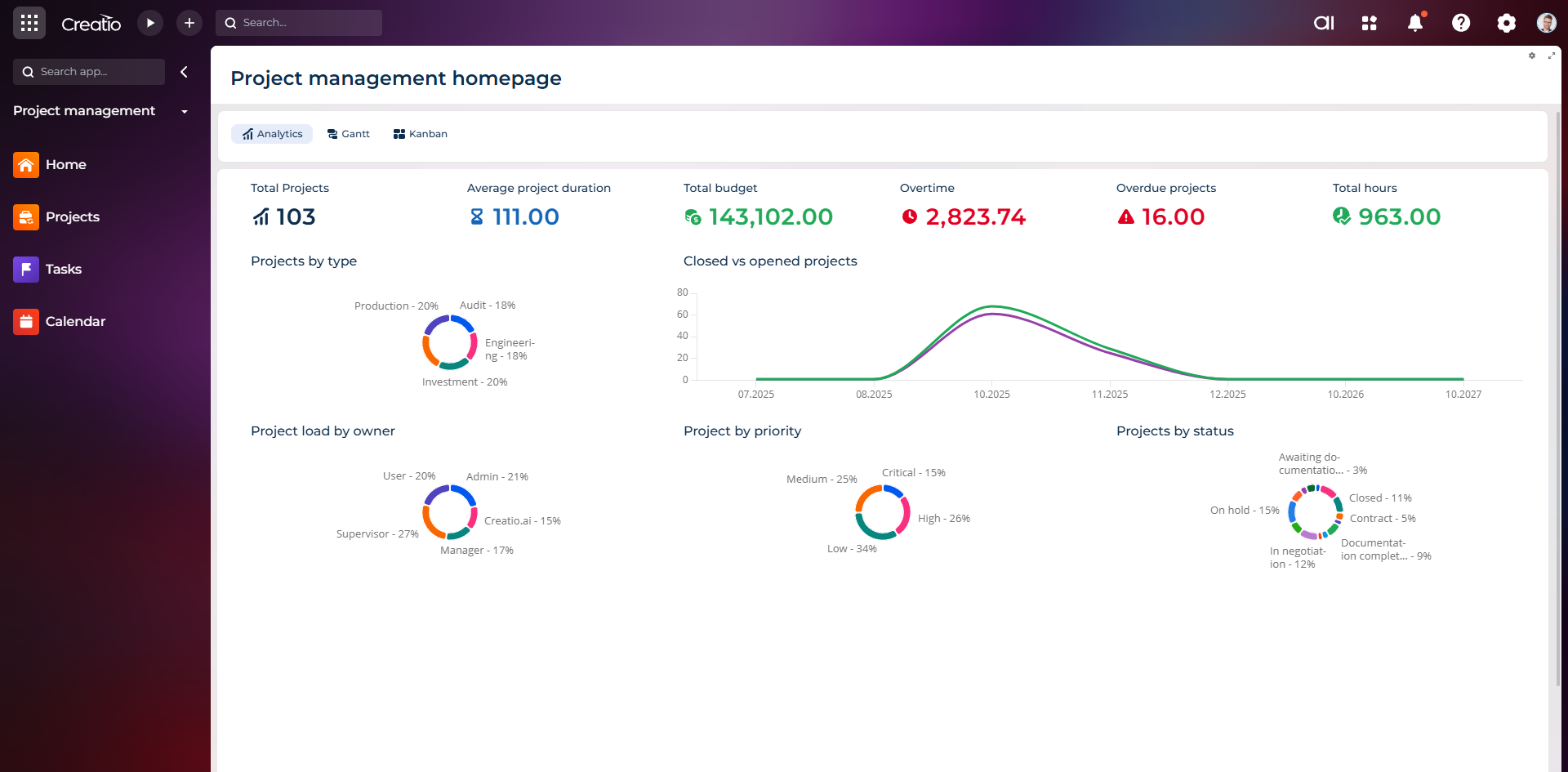
Project management
Kanban, Gantt, scheduler and tasks — inside Creatio, without a separate task tracker.
But in practice, teams still spend hours building project structures, updating statuses, coordinating tasks, and reconfiguring the same processes again and again.
Version 1.2 of Syntech Project Management Studio for Creatio is designed to reduce this operational overhead.
The update adds project templates, an AI agent for project management, hierarchical view, and a new To Do workspace - to help teams transition faster from planning to execution within Creatio.
What's new in version 1.2
New features:
✓ Project templates
✓ Task templates
✓ Milestone templates
✓ Checklist templates
✓ AI agent for project management
✓ Hierarchical list view
✓ To Do view
Launch projects faster with templates
Every project starts with decisions.
But repeating the same preparation steps creates unnecessary delays.
In version 1.2, teams can create and reuse templates for:
• projects
• tasks
• milestones
• checklists
Instead of manually recreating the structure, teams can launch standardized project environments in minutes.
Templates help:
• reduce project launch time
• standardize process execution
• increase implementation stability
• accelerate team adaptation
Whether it's client implementations, internal initiatives, or multi-level programs - teams start with a ready-made structure.
Meet your new AI Project Management Agent
Project managers spend too much time on process maintenance and not enough on results management.
The new AI agent helps reduce manual coordination directly within Creatio.
Thanks to natural language interaction, users can:
• create projects from templates
• monitor execution progress
• identify potential risks
• analyze resource allocation
• review team workload
• generate reports for stakeholders
Instead of searching for information across different views, the user interacts directly with project data.
Result:
Less administration - more execution.
Manage complex projects through Hierarchy List View
The larger the project - the harder it is to maintain control.
Phases, dependencies, related activities, and nested structures often create additional complexity.
The new Hierarchy List View allows you to:
• expand nested levels
• navigate relationships faster
• visually understand dependencies
• work with complex structures without losing context
This provides better operational control for teams and project portfolios.
Focus on execution with the new To Do List View
Planning is important.
But execution is even more important.
The new To Do workspace helps:
• prioritize work
• monitor assignments
• manage next actions
• reduce context switching
Instead of switching between sections, the team gets an action-oriented workspace.
Everything remains connected within Creatio
Syntech Project Management Studio already integrates:
• Kanban boards
• Gantt planning
• budget and expense control
• workload management
• centralized workspace
• team collaboration
Version 1.2 expands this ecosystem, reducing launch time and making execution more intelligent.
Without disparate tools.
Without duplicating work.
A single environment for planning, managing, and executing projects.
Ready to see version 1.2 in action?
Request a demo and find out how templates, AI, and new execution tools will help your team implement projects faster within Creatio.
https://marketplace.creatio.com/app/syntech-project-management-studio-creatio
Next step
See a live board demo
15–30 minutes, no slide decks: we show the solution on your data and tell you if it fits.