
Application for Creatio
Syntech Notification Center for Creatio
Automate notifications across all Creatio objects and channels, including email, SMS, messengers, mobile push notifications, and webhooks. Configure no-code rules, test delivery, and track every notification to ensure timely communication and complete transparency.
$1,800 /year

Gallery
Videos
Product Overview
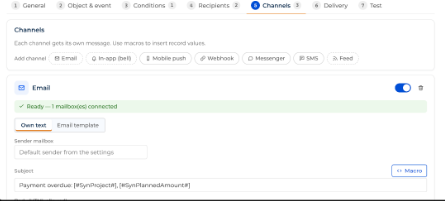
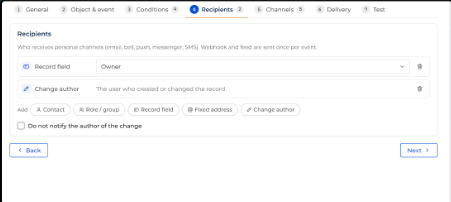
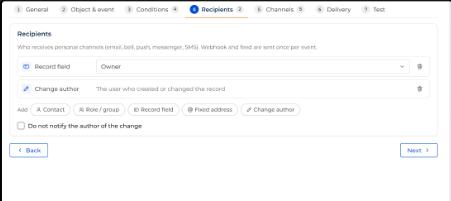
Syntech Notification Center for Creatio helps you manage all Creatio notifications from a single no-code interface. Configure rules for standard and custom objects, define triggers, conditions, recipients, and delivery channels. Supported channels include email, mobile push notifications, messengers, SMS, feeds, and webhooks, along with delivery tracking, employee personal preferences, quiet hours, and secure access control.
Key Features
Notification Center Console
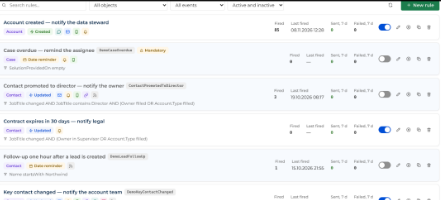
All notification rules in one place: active status, object, trigger, channels, conditions, as well as how many messages each rule sent and how many failed over the last 7 days. Key metrics (sent, failed, queued, delivery success rate) are displayed at the top.
Flexible Condition Builder
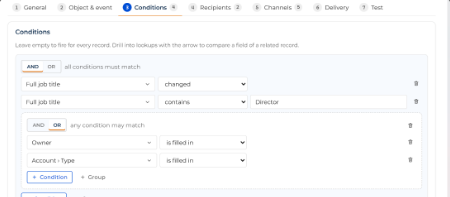
Combine AND/OR groups, compare record or related record fields, and trigger only when a field changes to or from a specific value. Values are selected from lookup dictionaries with search capability.
Delivery Log & Analytic Home Page
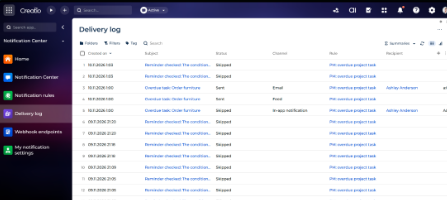
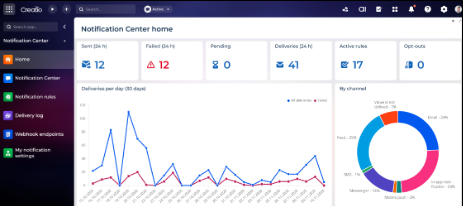
Every notification is recorded in a log with status, retry count, response code, and error details, and can be resent in a single click. The home page and section dashboards show delivery trends, channel breakdown, errors, and top-performing rules.
Personal Notification Preferences
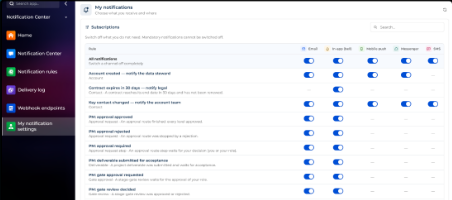
Employees can disable rules and channels they don't need, set quiet hours, and view their recent notifications. Mandatory notifications remain locked.
Ready to Start?
Get this solution today and improve your business efficiency