
 CRM
CRMProject Portfolio Management in Creatio: Portfolio Management
When a company simultaneously executes several projects, the problem is usually not a lack of statuses.
Project management
Kanban, Gantt, scheduler and tasks — inside Creatio, without a separate task tracker.
In fact, there are many statuses.
One manager tracks progress in a spreadsheet, another in a task management system, the budget is in a separate report, risk information is in a presentation, and management receives a consolidated picture once a week or month.
As a result, portfolio management turns into reporting collection instead of portfolio management.
The task of a project portfolio management system is to provide management with a unified picture: what is happening with projects, resources, budgets, risks, and strategic initiatives.
What is project portfolio management
Managing an individual project and managing a portfolio are different levels.
At the project level, the team answers questions:
what needs to be done;
who is responsible;
what is the deadline;
what is the current progress.
At the portfolio level, the questions are different:
which projects and programs are currently active;
which initiatives have problems;
how are resources allocated;
how is the budget being used;
which projects need management attention;
how individual initiatives are interconnected.
Therefore, it is not enough for management to see just another task list. A portfolio-level visibility is needed.
From status report to a unified portfolio
The traditional model looks familiar: project managers collect data, generate status reports, after which the PMO or management combines them into a single document.
The problem is that there can be a delay between an actual change in a project and the appearance of information in a report.
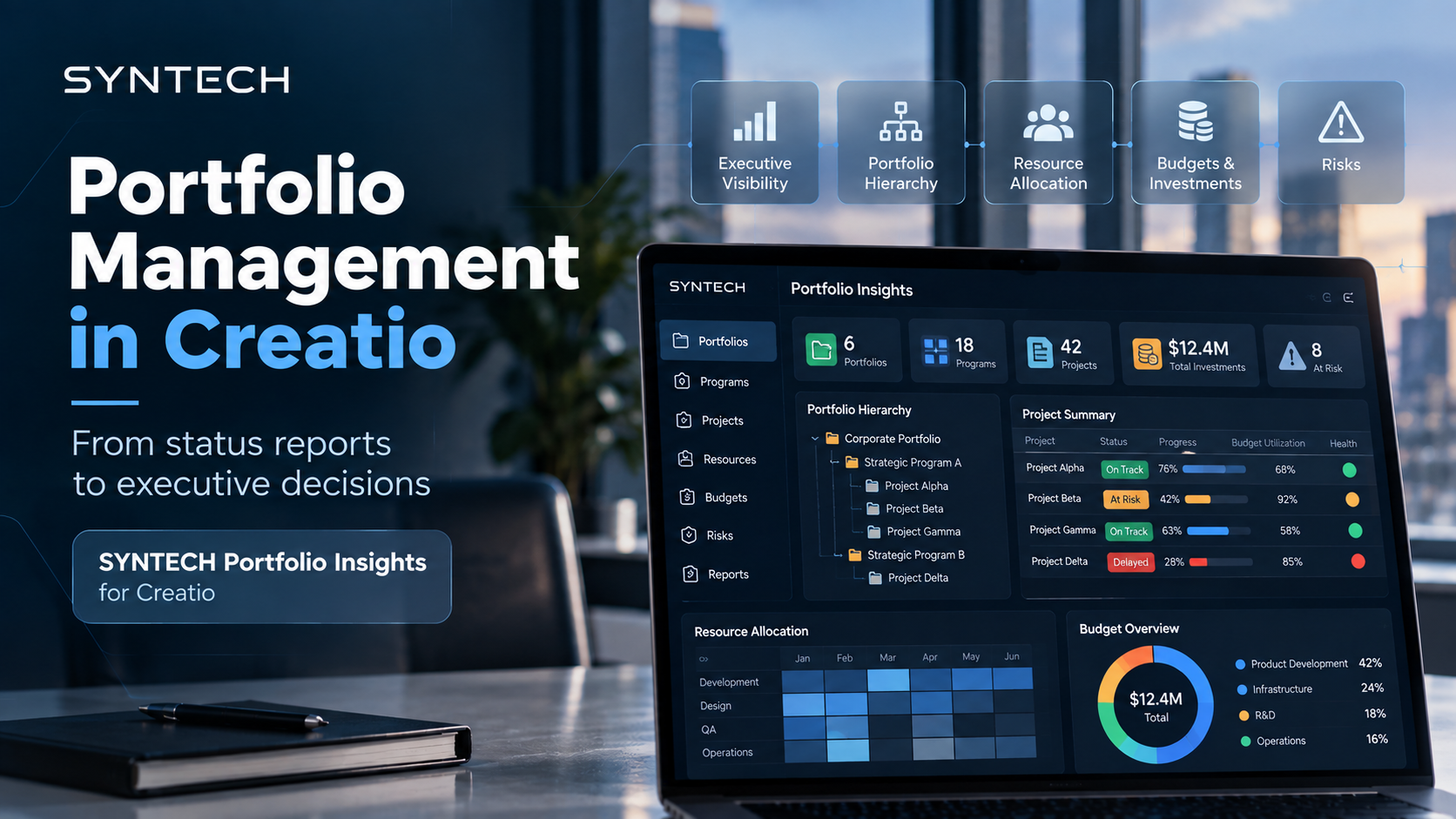
Syntech Portfolio Insights for Creatio is designed as a centralized workspace for planning, monitoring, and governance of strategic initiatives, projects, and investments directly in Creatio.
Instead of a separate report, management gets a unified environment for working with the portfolio.
Executive Portfolio Visibility: what management sees
Syntech Portfolio Insights provides management with a portfolio-level visibility: strategic initiatives, execution status, risks, and investment allocation.
At the individual project level, you can additionally view progress, budget usage, manager, and health indicators.
Thus, information about the portfolio and individual projects is available in one Creatio environment.
Portfolio Hierarchy: portfolio → program → project
When there are many projects, a flat list is no longer enough.
Syntech Portfolio Insights allows displaying portfolios, programs, and projects in an interactive hierarchy.
The user can navigate between structural levels through drill-down navigation and analyze the portfolio from the big picture to a specific project.
This provides a structured view of initiatives grouped into programs and portfolios.
Project Summary without opening each record
To understand the status of several projects, a manager does not necessarily need to open the full project card every time.
In Project Summary Preview, you can view:
status;
progress;
budget usage;
project manager;
health indicators.
That is, basic information about the project's status is available without opening the record itself.
Resources and workload: Matrix & Grid Views
Portfolio management is not just about deadlines. It is also important to understand how resources are distributed among teams and projects.
Matrix & Grid Views in Syntech Portfolio Insights allow analyzing capacity, workload, and resource allocation across teams, projects, roles, and time periods.
This helps analyze the workload and resource allocation at the entire portfolio level.
Communication in the context of the portfolio
When project discussions happen separately from the project data itself, some context may remain outside the system.
Syntech Portfolio Insights supports contextual team communication — discussing tasks, portfolio updates, and project activities in a centralized workspace.
This allows preserving communication along with the context it pertains to.
Why the portfolio level is important for management
Project management answers the question: “How is a specific project being executed?”
Portfolio management expands the picture: “What is happening with the entire portfolio of projects and initiatives?”
Therefore, a portfolio tool is not needed to create more reports.
Its value lies in gathering key portfolio information in one environment. When status, progress, budget, resources, risks, and portfolio structure are available together, management gains more context for decision-making.
Portfolio management without a separate system outside Creatio
Syntech Portfolio Insights works directly in Creatio.
The component can be deployed and configured within Creatio through built-in settings and used with existing Portfolios, Programs, and Projects sections.
Thus, for portfolio management, there is no need to create a separate isolated environment: portfolio management remains in Creatio along with Portfolios, Programs, and Projects.
From status control to management decisions
A mature portfolio management system is not a dashboard for the sake of a dashboard.
It should help management go through the path:
portfolio → problem → context → specific project → solution.
This requires portfolio hierarchy, project summaries, health indicators, budget information, resource representation, and centralized communication.
Syntech Portfolio Insights for Creatio combines these capabilities directly in Creatio and creates a centralized space for planning, monitoring, and managing the portfolio.
Learn more about Syntech Portfolio Insights for Creatio on the product page.
Next step
See a live board demo
15–30 minutes, no slide decks: we show the solution on your data and tell you if it fits.